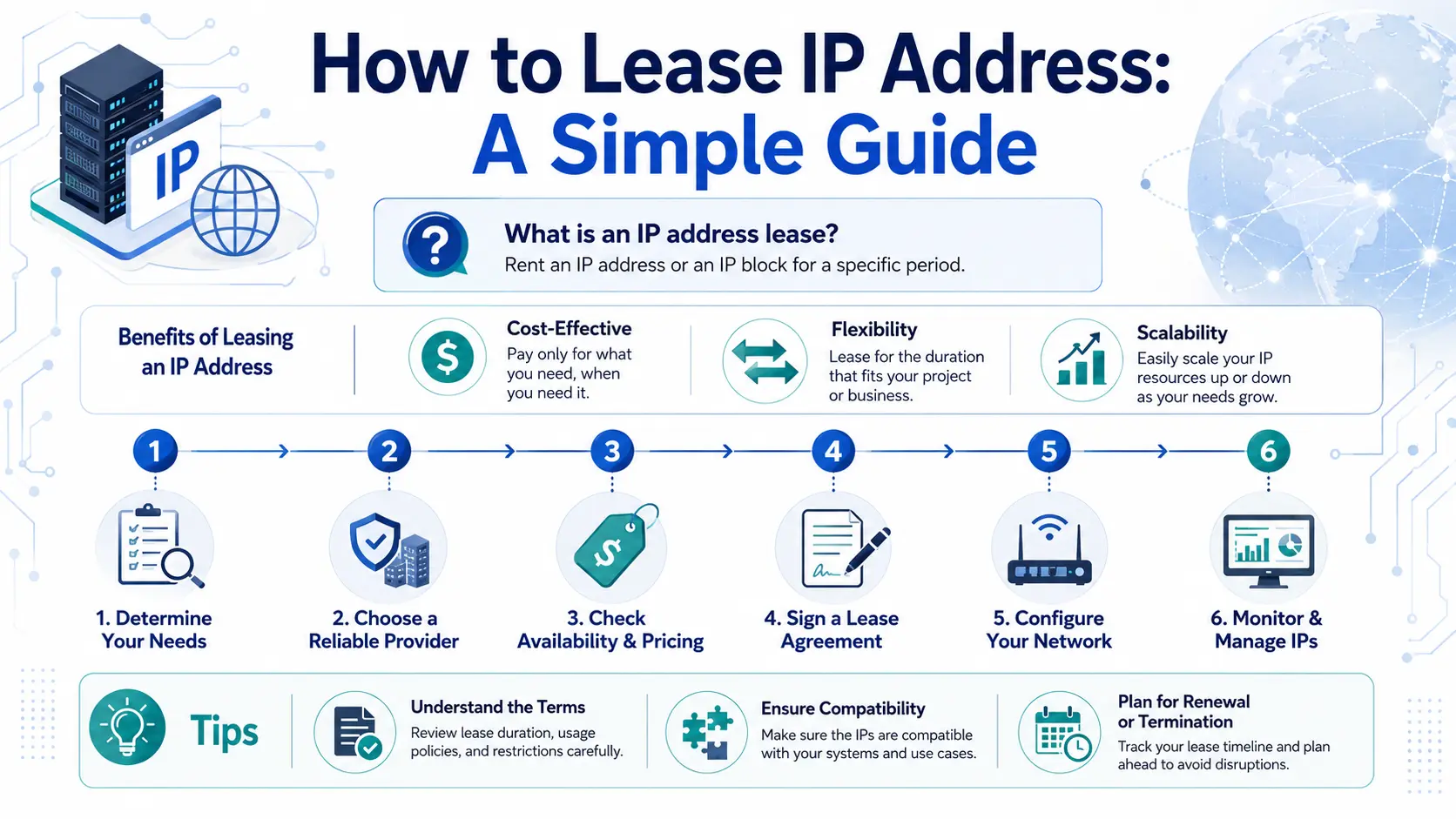
How to Lease an IP Address: A Simple Guide
How Do You Lease an IP Address?
To lease a public IP address, first determine how many IPv4 addresses you need and how they will be used. Then find a provider or resource holder, verify the address block and its history, review the lease terms, confirm routing authorization, configure RPKI and reverse DNS where required, test the addresses before production, and monitor the block throughout the lease.
A practical IPv4 leasing process usually looks like this:
Define why you need the IP addresses.
Choose the right IPv4 block size.
Understand who provides and controls the resource.
Check the IP block before signing.
Review the lease agreement.
Confirm BGP, ASN and LOA requirements.
Review RPKI, reverse DNS and operational records.
Test the block before production.
Monitor the addresses throughout the lease.
Plan renewal, return or migration before the lease ends.
Leasing can provide access to public IPv4 resources without permanently acquiring the address block, but a production IPv4 lease involves more than obtaining a list of addresses.
Once the addresses are deployed, they may become connected to routing, DNS, customer systems, firewall rules, allowlists, security policies, reputation databases and other infrastructure.
That makes continuity just as important as availability.
What Is IP Address Leasing?
IP address leasing is an arrangement in which an organization receives the right to use IP address space for an agreed period without permanently acquiring the underlying resource.
In most commercial contexts, the phrase refers to public IPv4 address leasing.
Organizations may lease IPv4 addresses for:
hosting;
cloud infrastructure;
data centers;
SaaS platforms;
ISP networks;
telecom services;
public APIs;
enterprise infrastructure;
VPN services;
security platforms;
dedicated servers; and
other Internet-facing workloads.
The organization providing the addresses may remain associated with the resource at the registry layer while another organization uses the addresses operationally.
This creates an important distinction:
The resource holder, operational user and network announcing the prefix may be different parties.
Understanding those roles before deployment can prevent confusion later.
Is IP Address Leasing the Same as a DHCP Lease?
No.
The term IP lease can refer to two very different things.
A DHCP lease is a temporary assignment of an IP address to a device within a network. Your router or DHCP server may automatically assign an address to a laptop or phone for several hours or days.
A public IPv4 lease, by contrast, is a commercial and operational arrangement through which an organization receives the right to use public IPv4 address space.
This article is about leasing public IPv4 addresses, not DHCP lease times.
How to Lease an IP Address in 10 Steps
Step 1: Define Why You Need the IP Addresses
Start with the workload rather than the number of addresses.
Ask:
What service will use the addresses?
Is the workload temporary or long term?
Will customers depend on the IPs?
Are the addresses needed for hosting, SaaS, cloud or ISP infrastructure?
Will you announce the prefix from your own ASN?
Is reverse DNS required?
Does IP geolocation matter?
Will the IPs be used for email?
Are partner allowlists involved?
Would changing the addresses later be difficult?
These questions affect the type of lease you need.
A test environment that can be renumbered easily has very different continuity requirements from a production API platform used by thousands of customers.
Once an IP address enters production, it may gradually become embedded in:
DNS;
firewall rules;
VPN configurations;
customer settings;
access-control lists;
security systems;
API allowlists;
monitoring platforms; and
application configurations.
This is why the cheapest available address space is not automatically the best choice.
Step 2: Determine How Many IPv4 Addresses You Need
IPv4 resources are commonly described using CIDR notation.
For example:
| IPv4 Block | Total IPv4 Addresses |
|---|---|
| /24 | 256 |
| /23 | 512 |
| /22 | 1,024 |
| /21 | 2,048 |
| /20 | 4,096 |
| /19 | 8,192 |
| /18 | 16,384 |
| /17 | 32,768 |
| /16 | 65,536 |
Do not size your lease only according to today’s exact consumption.
Consider:
current address usage;
expected customer growth;
infrastructure segmentation;
reserved capacity;
future locations;
redundancy;
service expansion; and
expected demand during the lease period.
At the same time, leasing substantially more address space than you need can increase cost.
The goal is to obtain enough capacity for realistic growth without creating unnecessary overhead.
Do You Need a /24?
If you plan to announce IPv4 space independently through BGP, a /24 is commonly treated as an important practical size because many networks filter more-specific IPv4 prefixes.
This is not the same as saying that organizations can never use fewer than 256 addresses.
Smaller address ranges may still be used when routing is provided through a larger aggregate or through the provider’s infrastructure.
Before choosing a block size, confirm how the addresses will actually be routed.
Step 3: Understand Who Is Providing the IPv4 Space
Before leasing an IP block, understand where the resource comes from.
Ask the provider:
Who is associated with the underlying resource?
Is the provider the resource holder or an intermediary?
Is the block dedicated to your organization?
Can the provider demonstrate authority to lease or route it?
Who manages registry-related information?
Who can issue routing authorization?
Who controls RPKI?
Who manages reverse DNS?
What happens if the provider relationship changes?
These questions are not only about commercial trust.
They help establish the chain of operational control around the IP resource.
The ability to send you a list of IP addresses is not enough.
The provider also needs to be able to support the operational actions required to make those addresses usable.
Step 4: Check the IPv4 Block Before Signing
Do not wait until production deployment to investigate the addresses.
Review the IPv4 block before finalizing the lease.
Depending on your workload, checks may include:
IP reputation
Determine whether the addresses have a history that could interfere with your intended use.
Previous activity may affect:
email delivery;
security platforms;
fraud systems;
blocklists; and
third-party reputation databases.
A previous user’s history does not necessarily make a block unusable, but it should be understood before deployment.
Geolocation
Check whether major geolocation databases place the addresses where you expect.
Incorrect geolocation can affect:
content localization;
fraud detection;
regional access policies;
analytics; and
services that make decisions based on IP location.
Geolocation should not be confused with registry location. Different databases may use different methods and update schedules.
Registry information
Review available registration information and understand which organization is associated with the resource.
Routing history
Where relevant, review how the prefix has previously appeared in BGP.
A block with a long routing history may require different operational checks from previously unused or recently reconfigured address space.
Reverse DNS
If PTR records are important to the workload, confirm that reverse DNS can be delegated or managed appropriately.
Step 5: Review the IPv4 Lease Agreement
Do not treat the contract as a formality.
The lease agreement should clearly define the commercial and operational relationship.
Important areas can include:
exact IPv4 prefix or quantity;
lease start date;
lease duration;
price and payment frequency;
permitted use;
renewal process;
termination terms;
notice periods;
abuse-handling responsibilities;
routing responsibilities;
RPKI responsibilities;
reverse DNS responsibilities;
support and escalation;
return process; and
what happens if either party cannot continue the arrangement.
Pay particular attention to renewal and termination.
An IPv4 block may be easy to replace before deployment.
After several years in production, the same block may be connected to hundreds or thousands of external dependencies.
A short termination notice may therefore represent a much larger operational risk than it first appears.
Step 6: Confirm BGP, ASN and LOA Requirements
If your organization needs to announce the leased IPv4 prefix through its own network, routing needs to be arranged before deployment.
You may need to confirm:
which ASN will originate the prefix;
which upstream provider will accept the route;
whether a Letter of Authorization is required;
whether an IRR route object is required;
whether RPKI needs to be configured; and
which party can authorize changes.
What Is an LOA?
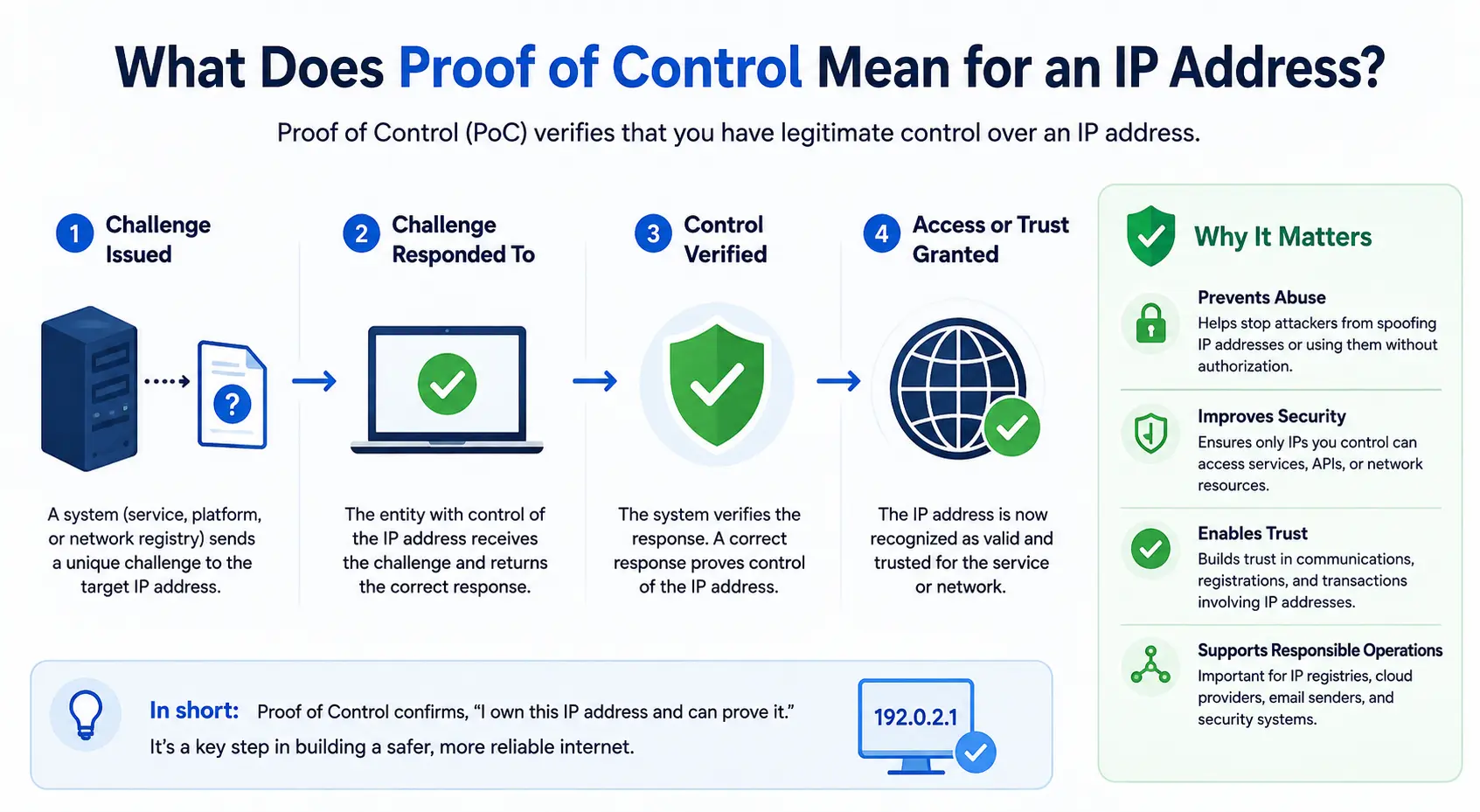
A Letter of Authorization, or LOA, is commonly used to document that a party has permission to announce an IP prefix through a specified network or ASN.
For example, an upstream provider may request authorization before accepting a BGP announcement for leased IPv4 space.
An LOA may identify:
the IPv4 prefix;
the authorized ASN;
the relevant organizations; and
the scope of the authorization.
The important question is not simply whether an LOA exists.
It is whether the party issuing the authorization has legitimate authority over the resource.
Step 7: Review RPKI, Reverse DNS and Operational Records
Routing is only one part of the deployment.
RPKI
Resource Public Key Infrastructure, or RPKI, allows route-origin authorization information to be published cryptographically.
A Route Origin Authorization, or ROA, can identify which ASN is authorized within RPKI to originate a particular prefix.
The RPKI architecture is defined in RFC 6480.
Before production, confirm:
whether a ROA already exists;
which ASN is authorized;
whether the intended origin matches the ROA;
who can modify the ROA; and
what happens when the lease ends.
RPKI should remain aligned with legitimate routing changes.
Reverse DNS
If the addresses require PTR records, clarify who manages reverse DNS.
This may matter for:
email;
security;
diagnostics;
logging; and
network operations.
Operational contacts
Document who is responsible for:
routing changes;
RPKI;
reverse DNS;
security reports;
abuse notifications;
registry-related issues; and
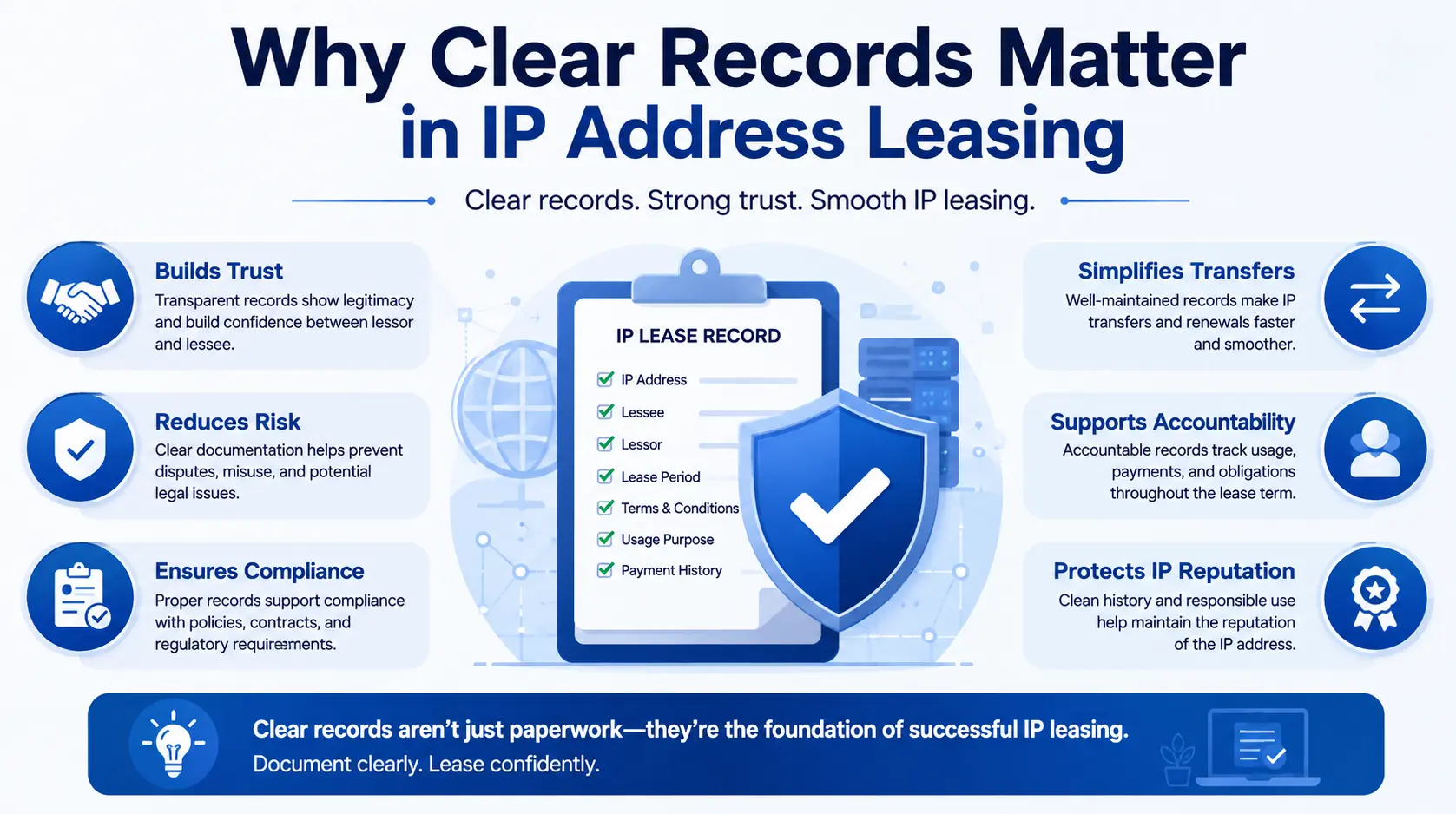
lease administration.
The registered resource holder and operational user may be different.
Clear records make that distinction easier to manage.
Step 8: Test the IPv4 Block Before Production
Do not move critical workloads immediately after receiving the addresses.
Validate the environment first.
A pre-production checklist can include:
confirm BGP reachability;
verify the expected origin ASN;
check RPKI status;
test reverse DNS;
check relevant reputation services;
verify geolocation;
test inbound connectivity;
test outbound connectivity;
confirm firewall policies;
test application access;
validate monitoring; and
confirm escalation contacts.
Where possible, run controlled traffic through the new address space before migrating production services.
A prefix that is technically reachable can still have operational problems.
For example, routing may work while reverse DNS remains incorrect.
Or the prefix may be globally reachable while a third-party security system blocks it because of outdated reputation information.
Testing identifies these issues before customers do.
Step 9: Monitor the IP Addresses Throughout the Lease
IPv4 leasing does not end when the prefix becomes reachable.
Monitor the block throughout its operational lifetime.
Useful areas to monitor include:
BGP announcements;
RPKI validity;
address reputation;
blocklist status;
abuse reports;
reverse DNS;
geolocation;
registry information;
route-object information;
utilization; and
renewal dates.
Operational records should also be updated when responsibilities change.
For example, if:
your ASN changes;
your upstream provider changes;
your technical contact leaves;
reverse DNS management moves;
the company restructures; or
another provider begins announcing the resource,
the relevant documentation should follow the operational change.
The purpose of the record is to make the current state understandable.
Step 10: Plan Renewal, Return or Migration Early
Do not wait until the final week of the lease to decide what happens next.
Ask well in advance:
Will our network still depend on these exact IPv4 addresses when the lease expires?
If the answer is yes, begin discussing renewal early.
If the addresses will be returned, prepare an exit process.
That can include:
Move production services away from the prefix.
Update DNS.
Remove the IPs from customer and partner allowlists.
Stop BGP announcements where applicable.
Update or remove relevant ROAs.
Remove old IRR information where appropriate.
Update reverse DNS.
Remove firewall dependencies.
Update monitoring systems.
Confirm that the addresses are no longer receiving legitimate production traffic.
Offboarding should be treated as part of the original lease design.
This becomes particularly important when public addresses have become part of a company’s network identity.
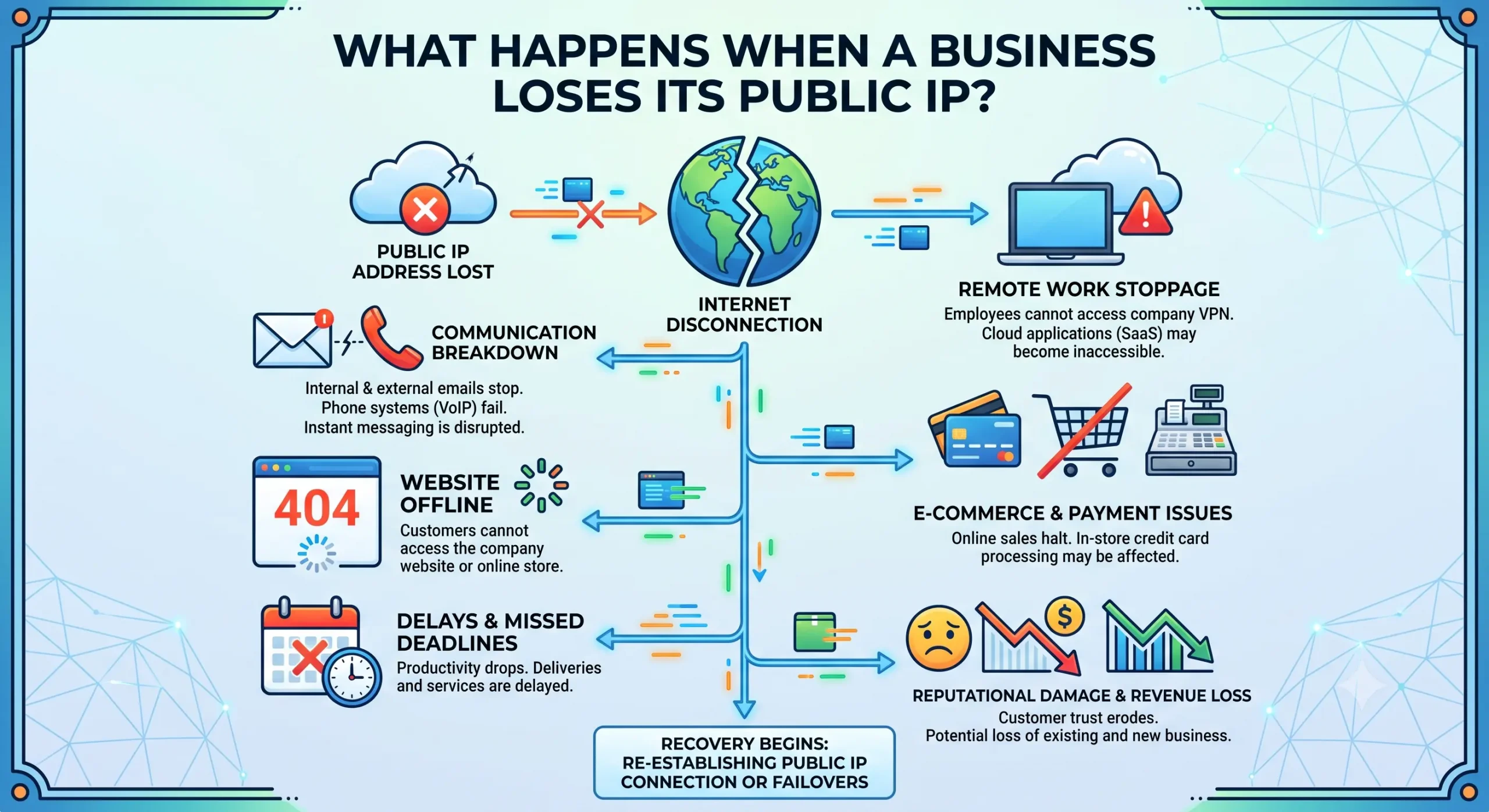
As discussed in What Happens When a Business Loses Its Public IP?, changing a production IP address can affect much more than connectivity. DNS, security rules, partner allowlists, email reputation and customer systems may all depend on the previous address.
What Should You Check Before Leasing an IPv4 Block?
Use this checklist before signing.
| Area | Question |
|---|---|
| Requirement | Why do we need the IPv4 addresses? |
| Quantity | What block size is required? |
| Growth | Will we need additional capacity during the term? |
| Resource source | Who is associated with the underlying block? |
| Authorization | Can the provider demonstrate authority to provide it? |
| Reputation | Has the address history been reviewed? |
| Geolocation | Does the block appear in appropriate locations? |
| Routing | Which ASN will originate it? |
| LOA | Is routing authorization available? |
| RPKI | Can the correct ROA be created or updated? |
| IRR | Are route objects required? |
| Reverse DNS | Who manages PTR records? |
| Abuse | Who receives and responds to reports? |
| Support | Who handles operational problems? |
| Renewal | How and when is the lease renewed? |
| Termination | How much notice is required? |
| Exit | What happens to routing and records when the lease ends? |
If several of these questions cannot be answered before signing, investigate further before making the addresses part of critical infrastructure.
Lease IP Address vs Buy IP Address
Leasing and buying serve different needs.
| Factor | Lease IPv4 | Buy IPv4 |
|---|---|---|
| Upfront cost | Generally lower | Generally higher |
| Commitment | Defined lease period | Longer-term acquisition |
| Flexibility | Higher | Lower after acquisition |
| Recurring payment | Yes | Generally not a lease payment |
| Registry relationship | Often remains with existing holder | May change through an applicable transfer process |
| Operational dependency | Depends on provider and agreement | Different ownership/control structure |
| Best suited for | Flexible or scalable requirements | Long-term strategic requirements |
Neither model is universally better.
The correct choice depends on:
expected duration;
capital available;
importance of long-term continuity;
growth expectations;
provider dependency; and
how difficult it would be to renumber the network later.
For temporary or changing requirements, leasing may provide useful flexibility.
For infrastructure that expects to depend on the same address space for many years, organizations should consider the long-term implications carefully.
How Much Does It Cost to Lease an IP Address?
IPv4 leasing prices vary over time.
The cost can depend on:
block size;
lease duration;
address history;
provider;
support model;
routing services;
geographic or operational requirements; and
broader IPv4 market conditions.
For this reason, a fixed price quoted in an evergreen guide can become outdated quickly.
When comparing offers, do not evaluate only the monthly price per address.
Also ask what is included.
A lower headline price may not include:
routing support;
LOA handling;
RPKI changes;
reverse DNS;
reputation assistance;
abuse handling;
geolocation support; or
continuity support.
The relevant comparison is the complete operational arrangement, not only the rental rate.
What Makes an IPv4 Provider Reliable?
A reliable provider should be able to explain the resource clearly.
Before leasing, you should be able to understand:
Where does the IPv4 block come from?
Who is authorized to provide it?
How will routing work?
Who manages RPKI?
Can reverse DNS be configured?
How are abuse reports handled?
What happens if the route needs to change?
What happens at renewal?
What happens if the provider can no longer continue the arrangement?
A provider does not need to control every aspect of your network.
But responsibility for each essential part of the lease should be understandable.
This matters particularly when the addresses support production systems.
Heng.lu discusses this wider dependency in How Provider Failure Can Affect Your Leased IPv4 Space, because the risk in a lease is not limited to whether the address responds today. Long-term operability can depend on continued routing authorization, records and supporting services.
Why Operational Continuity Matters in IPv4 Leasing
An IPv4 address often begins as infrastructure capacity.
Over time, it can become something more.
Customers may save it.
Partners may allowlist it.
DNS records may point to it.
Firewalls may trust it.
APIs may depend on it.
Email systems may build reputation around it.
Monitoring platforms may identify the network through it.
Replacing the address later can therefore involve much more than changing one configuration line.
The more dependencies that accumulate around the address, the more important continuity becomes.
This is why an IPv4 lease should answer not only:
Can we use this address today?
but also:
Can we continue using it reliably for as long as the business expects to depend on it?
And:
Can we migrate away from it safely if the relationship ends?
These are operational questions, not only commercial ones.
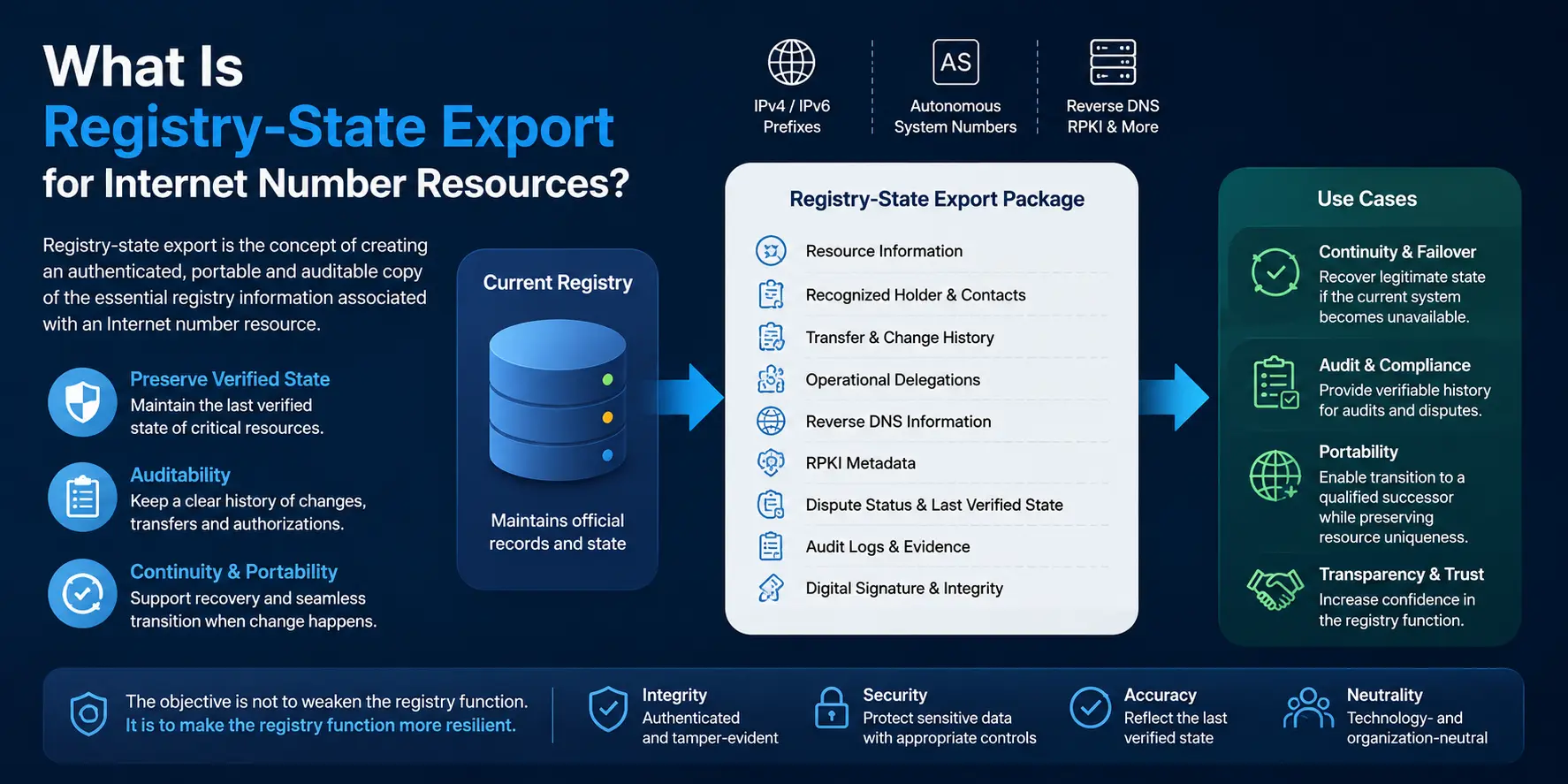
Registry Records, Routing and the Running Network
Leased IPv4 can exist across several different layers.
A registry record may identify one organization.
A lease agreement may identify another organization as the user.
BGP may show a third network announcing the prefix.
RPKI may authorize a particular ASN.
Reverse DNS may be managed by another operational party.
These relationships are not automatically contradictory.
They describe different functions.
The important objective is clarity.
Network operators should be able to understand:
who is associated with the resource;
who is authorized to use it;
who routes it;
who can authorize routing changes;
who manages supporting services; and
what should happen when the operational relationship changes.
Good records should follow legitimate operational reality rather than forcing operators to reconstruct it after something goes wrong.
If registry information changes unexpectedly, Preparing for an Unexpected Change in Registry Records explains why evidence preservation, routing verification and continuity planning matter.
Common Mistakes When Leasing IP Addresses
Choosing Only by Price
Price matters, but the cheapest block may create additional work if its history, routing or support structure is unsuitable.
Not Checking Reputation
Discovering reputation problems after production migration is much harder than finding them before signing.
Ignoring RPKI
A valid network can still face routing problems if route-origin authorization does not match the intended announcement.
Forgetting Reverse DNS
This is especially important for workloads such as email.
Not Clarifying Who Can Authorize Routing
The provider should be able to explain how an LOA, ROA or other necessary routing authorization will be handled.
Ignoring Renewal Terms
The operational cost of losing an established prefix can be much larger than the leasing price.
Having No Exit Plan
Every lease ends eventually unless renewed.
Design the return or migration process before the address space becomes deeply embedded in production.
Frequently Asked Questions About Leasing IP Addresses
How do I lease an IP address?
Define the number and type of public IPv4 addresses you need, choose a provider or resource holder, verify the block, review the lease agreement, arrange routing authorization, configure RPKI and reverse DNS where applicable, test the addresses and monitor them throughout the lease.
Can a business lease public IPv4 addresses?
Yes. Businesses can obtain contractual use of public IPv4 address space for a defined period through an IPv4 leasing arrangement.
Do I need an ASN to lease IPv4 addresses?
Not necessarily.
You may need an ASN if you plan to originate the leased prefix independently through BGP. If the provider routes the addresses through its own network, the structure may be different.
Confirm the routing model before signing the lease.
Can I lease fewer than 256 IPv4 addresses?
It depends on the routing and service model.
A /24 contains 256 addresses and is commonly used when a customer needs a separately announced IPv4 prefix. Smaller address quantities may be provided within a provider’s larger routed infrastructure.
What is an LOA in IPv4 leasing?
A Letter of Authorization documents permission for a specified network or ASN to announce an IP prefix. Transit providers may request an LOA before accepting a BGP route for leased address space.
Does an IPv4 lease transfer ownership or registration?
Typically, a lease grants defined use of address space for a period rather than permanently transferring the underlying resource relationship. The exact legal, contractual and registry structure depends on the arrangement.
Should I check IP reputation before leasing?
Yes, especially if the addresses will support email, customer-facing infrastructure, security-sensitive systems or services affected by IP reputation.
Can leased IPv4 addresses use RPKI?
Depending on the resource and provider arrangement, route-origin authorization can be configured so the intended ASN is represented appropriately in RPKI.
Who manages reverse DNS for leased IP addresses?
It depends on the provider and lease structure. The holder, provider, lessee or another network operator may manage reverse DNS. Responsibility should be agreed before deployment.
Can I move leased IP addresses to another network provider?
Potentially, if the lease and routing arrangement support it.
A move may require a new LOA, origin ASN change, ROA update, IRR change or coordination with the resource provider.
What happens when an IP address lease ends?
The addresses are normally returned according to the agreement. Operators may need to remove routes, update RPKI, change reverse DNS, migrate services, update DNS and remove the old IPs from allowlists and security systems.
Is leasing IPv4 better than buying it?
It depends on the use case.
Leasing can reduce upfront cost and provide flexibility. Buying may make more sense for organizations seeking a longer-term resource strategy. The decision should consider cost, duration, continuity, operational dependency and future network requirements.
Final IPv4 Leasing Checklist
Before putting leased IPv4 into production, confirm:
Required block size
Intended use
Lease duration
Resource source
Provider authority
Address history
IP reputation
Geolocation
Origin ASN
BGP requirements
LOA availability
RPKI / ROA
IRR requirements where applicable
Reverse DNS
Technical contacts
Abuse handling
Deployment testing
Monitoring
Renewal date
Termination notice
Exit and migration process
If these items are clear before deployment, the lease is much easier to manage when the network changes later.
Conclusion
Learning how to lease an IP address should begin with a simple objective:
Obtain the IPv4 capacity your network needs and make sure it remains usable throughout the period you depend on it.
The basic process is straightforward:
Define the workload.
Determine the right block size.
Understand the resource source.
Verify the IPv4 block.
Review the contract.
Confirm routing authorization.
Align RPKI, reverse DNS and operational records.
Test before production.
Monitor throughout the lease.
Plan renewal or exit early.
But the most important consideration comes after the address enters production.
An IPv4 block can become connected to routing, security, DNS, customers, reputation systems and external configurations.
At that point, the question is no longer simply:
“Can I lease this IP address?”
It becomes:
“Can my network depend on this address, understand who controls each operational layer, and continue operating when the surrounding relationships change?”
That is the difference between obtaining IPv4 capacity and managing it responsibly.
A good lease should provide usable addresses.
A well-structured lease should also provide clear responsibility, accurate operational information and a realistic path to continuity.